Firefox Add-On Protects You From Facebook Tracking
Facebook is under increasing scrutiny after the revelation that its lax privacy controls allowed UK-based Cambridge Analytica to . Like it or not, is a fixture on the web, and its business model involves building ad profiles on users like you. Mozilla is looking to shield users from Facebook’s snooping and score some good will at the same time. It’s launched a new browser extension that segregates your Facebook account from the rest of the web.
To understand how the new extension works, you need to know how Facebook keeps tabs on you. It’s not just your activity on Facebook’s domain that matters.
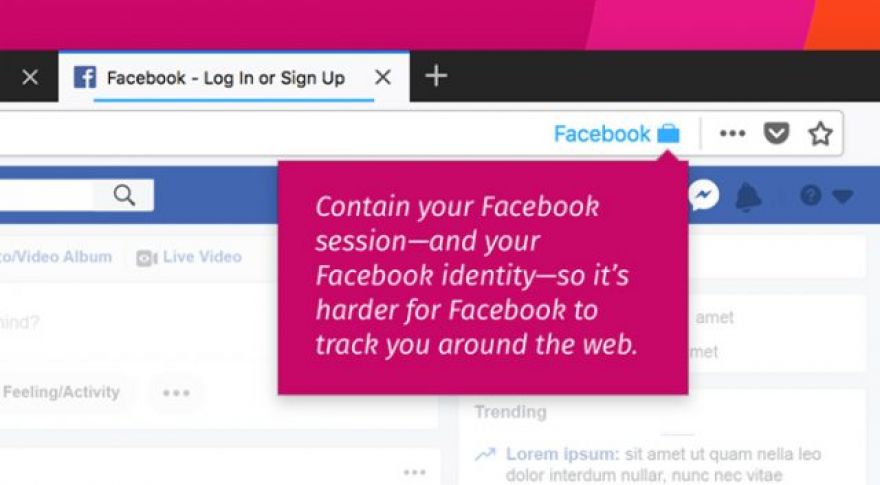
The extension, currently only available for Firefox, is called Facebook Container. As the name implies, it contains your Facebook profile so it doesn’t leak out across the web. When you access Facebook in Firefox, the session stays within a dedicated Facebook tab. Once you get set up, opening Facebook will automatically kick you over to a new tab colored blue to let you know it’s sandboxed from the rest of the browser.
Once you are done on Facebook, all your cookies and data disappear from the browser. It’s sort of like automatic Incognito Mode for Facebook only. However, Facebook Container also keeps Facebook services from opening outside of the container. You could replicate this behavior on your own, but it’d be tedious.
So, what happens if you see one of those pervasive Like buttons on the web? There won’t be any data in your browser for Facebook’s tracking tools to associate with your profile. One potential drawback, Facebook Like and Share buttons around the web won’t work. Third-party websites that use Facebook logins will also encounter errors. This could be a pain as you traverse the web, but keeping Facebook out of your business involves tradeoffs.
If you are a Firefox user, the Facebook Container is available on the official . It’s probably the next best thing to deleting your Facebook account altogether.